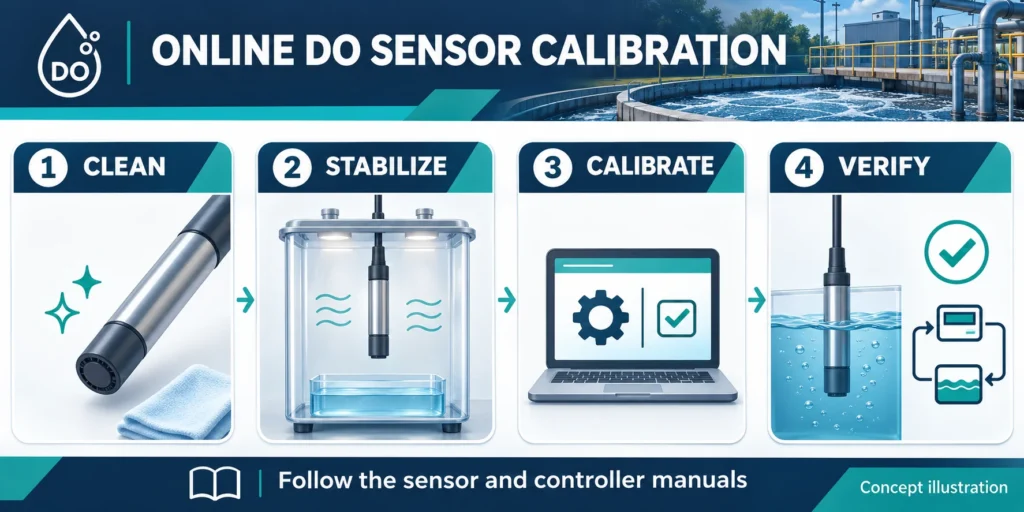
To calibrate an online dissolved oxygen sensor, first clean and inspect it. Choose the method in its manual. Let the reference conditions settle, then save and verify the result. Record the original reading before adjustment. Do not force it to match a changing tank reading.
Calibration adjusts the measurement. Verification checks it without making an adjustment. Record both results.
How do you calibrate an online dissolved oxygen sensor?
Start with the exact sensor and controller manuals. Optical, galvanic and polarographic probes have different service needs. Some optical probes use factory data and need regular checks. Polarographic probes may need time to settle with power on.
Before online dissolved oxygen sensor calibration, plan how to hold the output. A probe exposed to air can send a misleading value to the PLC. Follow the site procedure and restore control after the check.
| Reference method | What it involves | What to confirm |
|---|---|---|
| Water-saturated air | Air in a humid calibration chamber | Chamber preparation, pressure reference and stable temperature |
| Air-saturated water | Water equilibrated with air | Adequate equilibration, mixing and no bubbles on the sensing face |
| Independent reference | A suitable reference measurement of matched water | Method suitability, sample timing and comparison uncertainty |
| Zero-oxygen point | An approved oxygen-free medium | Whether the model and application require or allow it |
These air and water methods use different setups. Follow the approved one. YSI's DO calibration guidance shows model-specific options. Do not copy its menus or waiting times to another probe.
What should you check before starting?
Record both models, DO, temperature, units and any fault. Check the cable and connector before adjusting the settings.
Clean the probe as directed. Check an optical cap for damage. On a membrane probe, check for tears, wrinkles, wrong electrolyte or trapped air. Our DO sensor maintenance guide includes a membrane replacement decision table.
Check the temperature reading and required pressure or salinity settings. Use the DO pressure-correction guide for pressure-entry checks. Some meters use salinity to calculate mg/L even when you calibrate in percent.
A practical DO calibration sequence
- Make the control loop ready. Use the approved output-hold or maintenance procedure. Record the reading before cleaning or adjustment.
- Prepare the sensor. Clean and inspect it. Complete any required cap setup or powered warm-up.
- Prepare the reference. Use the chamber, water or reference method specified by the manufacturer. Keep droplets off the sensing face if the procedure requires it.
- Wait for equilibrium. Allow both DO and temperature to stabilize. Use the manual's stability criteria, not a fixed time for every probe.
- Confirm the reference value. Check units, pressure basis and other required inputs. Do not assume that air saturation means a fixed mg/L value.
- Save and review. Accept the calibration only if it passes the model's criteria. Record the result and any diagnostic values.
- Verify in service. Return the probe to a representative measurement point, allow it to settle and check the controller and PLC together. Restore the control output and document the outcome.
A pass message does not prove that mounting, mixing or PLC scaling is correct.
Does every DO sensor need a zero calibration?
No. Use a zero point only when the sensor manual and measurement task call for it. Low-oxygen service may need a low-end check. Confirm the method first.
Use the approved zero medium and handling procedure. Rinse as directed before moving to the next reference. Hamilton's DO calibration explanation shows why sensor technology and calibration method matter. Do not transfer one brand's zero procedure to another probe.
Why does a dissolved oxygen calibration fail?
| What you observe | Check first | Next action |
|---|---|---|
| Reading keeps drifting | Temperature, chamber conditions and conditioning time | Restore stable conditions before retrying |
| Calibration repeatedly fails | Wrong setup, damaged cap or membrane, incorrect pressure entry | Identify the cause rather than repeating adjustment |
| Calibration passes but tank readings spike | Aeration bubbles, loose mounting or poor placement | Inspect the installation under operating conditions |
| Controller agrees with reference but PLC differs | Output range, scaling and engineering-unit labels | Check the signal path separately |
Before applying an offset to match a handheld meter, match the water, timing, units and settings.
How often should you calibrate an online DO sensor?
Base the schedule on the manual, process risk and recorded drift. Review it after cap or membrane service, failed checks or unusual exposure.
Log the date, model, reference conditions, before-and-after readings and result. Record failures too.
What should you confirm when selecting a DO monitoring loop?
Specify the water type, expected DO range, temperature, installation point, sensor technology and required PLC signal. Include access for cleaning and calibration. Our aeration controller selection guide covers those decisions.
Check DO mg/L versus percent saturation before assigning alarm units. Send Tenber your application details, existing model and calibration issue. We can review the proposed sensor and controller together.